
0
Items
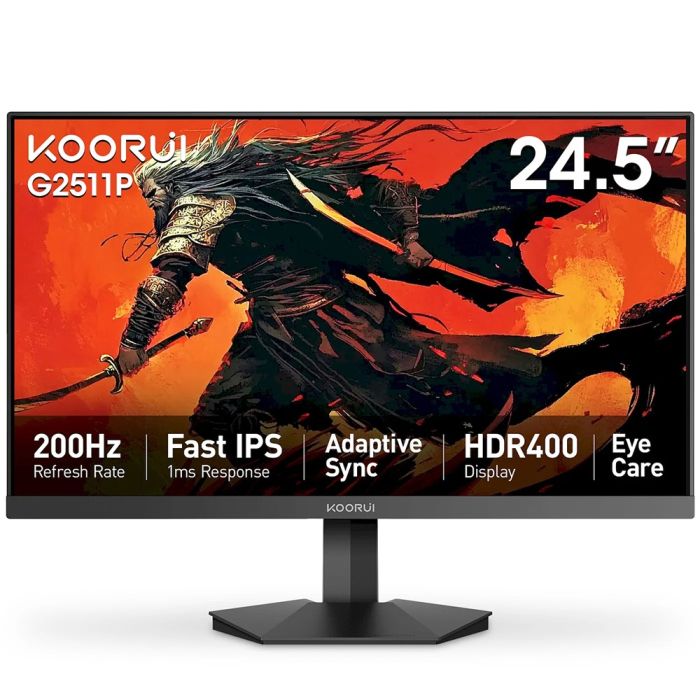
KOORUI 25in, G2511P, 200Hz, IPS, Full-HD 1080P, 1ms, VESA, HDMI/DP
£89.00
£99.00
SKU
SK-21801
Availability:
In stock
- Screen Size 25 Inches
- Panel Type Fast-IPS
- Resolution Full HD (1920 x 1080)
- Refresh Rate 200 Hz
- Response Time 1 ms (MPRT)
- Color Accuracy 99% sRGB, 90% DCI-P3
- HDR HDR400
- Connectivity 2 × HDMI 2.0, 1 × DP 1.4, 3.5 mm audio jack
- Adaptive-Sync Yes, G-Sync Compatible
- Tilt Adjustment -5° to +20°
- VESA Mount 75 × 75 mm
- Eye Comfort Flicker-Free, Low Blue Light
- Model Number: MG25H3FS25 | G2511P
- Ultra-Fast Performance: The KOORUI MG25H3FS25 is a 25-inch Fast-IPS gaming monitor that delivers an impressive 200 Hz refresh rate and a 1 ms MPRT response time, providing razor-sharp and tear-free visuals for high-speed gaming action.
- Exceptional Color Accuracy: Factory-tuned to 99% sRGB and 90% DCI-P3, combined with HDR400, this monitor ensures vibrant, accurate color reproduction with enhanced highlights and shadows, making it ideal for both gaming and creative work.
- Adaptive-Sync: Compatible with both AMD and NVIDIA GPU cards, Adaptive-Sync technology eliminates screen tearing for a seamless visual experience.
- Versatile Connectivity: Comes with 2 HDMI 2.0 ports, 1 DisplayPort 1.4, and a 3.5 mm audio jack for easy plug-and-play connections with PCs and gaming consoles.
- Ergonomic Design: Features a 3-side frameless design focused on-screen creation and a flexible setup with -5° to 20° tilt and 75 × 75 mm VESA mount compatibility for ergonomic viewing.
- Eye Comfort Technologies: Flicker-free hardware and low-blue-light filtering help reduce eye strain during long gaming or work sessions.
- Usage Instruction
- Set up and connect the monitor using HDMI or DisplayPort cables for the best gaming or creative experience.
- Adjust the monitor tilt for a comfortable viewing angle, or use the VESA mount to attach it to a wall/monitor arm.
- Activate Adaptive-Sync for tear-free visual performance when using compatible graphics cards.
- Utilize the HDR and color settings to enhance your gaming and content creation experience.
- Safety Warning
- Ensure proper ventilation around the monitor to prevent overheating.
- Avoid exposure to extreme temperatures and moisture to maintain optimal performance.